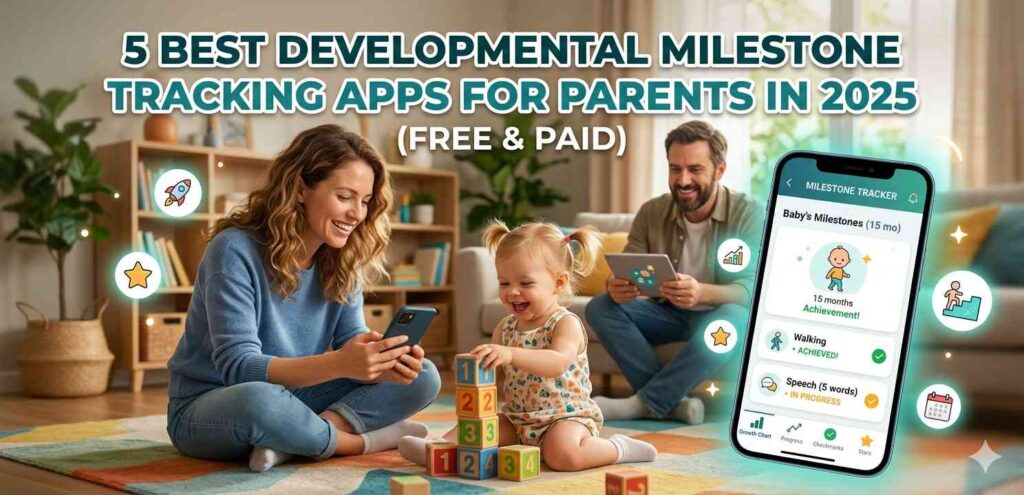

Every parent has that quiet worry — is my child hitting their milestones on time? Whether it’s the first smile, first word, or first wobbly step, these moments matter more than most people realize. Using a developmental milestone tracking app makes it much easier to keep a record, spot delays early, and share progress with your pediatrician.
This guide walks you through the 5 best options available in 2025, both free and paid, so you can pick the one that actually fits your life.
Why Parents Are Turning to Developmental Milestone Tracking Apps
A few years ago, most parents just kept a baby journal or relied on memory. That worked, sort of. But memory is unreliable, especially when you’re sleep-deprived with a newborn.
A developmental milestone tracking app solves that problem by letting you log milestones in real time, right from your Android or iPhone. You tap a button when your baby rolls over. You note the date your toddler said their first word. Over time, you build a detailed picture of your child’s growth.
Pediatricians actually appreciate when parents bring this kind of data to checkups. It saves time and makes conversations more focused.
What to Look for in a Good Milestone Tracking App
Before jumping into the list, here’s what separates a useful app from a forgettable one:
- Age-appropriate milestone checklists based on trusted sources like CDC or WHO
- Photo and video logging so memories are attached to milestones
- Pediatrician-sharing features — some apps let you export reports
- Simple interface — if it takes 10 taps to log one milestone, you won’t use it
With that in mind, let’s get into the actual apps.
1. CDC’s Milestone Tracker — Best Free Developmental Milestone Tracking App
The CDC Milestone Tracker is probably the most trustworthy free option out there. It’s built directly on the CDC’s updated developmental guidelines, which were revised in 2022 to be more realistic and inclusive.
What Makes It Stand Out
The app covers children from 2 months to 5 years. For each age group, you get a checklist of skills your child should typically be showing. It’s not a scoring system — it’s more of a conversation starter.
You can add notes, photos, and the dates when milestones happen. There’s also a built-in feature that lets you generate a summary to share with your child’s doctor. For a free app with zero ads, it’s genuinely solid.
Platform: Android and iOS Cost: Free External link: CDC Milestone Tracker — Official Page
2. Baby Connect — Best Paid Developmental Milestone Tracking App for Detail-Oriented Parents
If you want depth, Baby Connect is worth the cost. It’s been around for years and has one of the most comprehensive logging systems of any developmental milestone tracking app on the market.
More Than Just Milestones
Baby Connect tracks feeding, sleep, diaper changes, growth measurements, and yes — developmental milestones too. Parents who want one app to handle everything tend to love this one.
Multiple caregivers can sync to the same account, which is great if grandparents or a nanny are also involved. The data syncs in real time across Android devices.
Platform: Android and iOS Cost: Paid (around $4.99/month or one-time purchase options)
3. Ovia Parenting — Best Developmental Milestone Tracking App for New Parents
Ovia Parenting is designed with first-time parents in mind. It’s less clinical and more supportive in tone, which a lot of new moms and dads find comforting.
How It Works
Once you enter your child’s birth date, Ovia gives you a weekly breakdown of where your child should be developmentally. Each milestone comes with a short explanation of why it matters, not just what it is.
The app also has articles written by pediatric specialists, so you’re not just checking boxes — you’re actually learning. As a developmental milestone tracking app, it balances education with easy tracking pretty well.
Platform: Android and iOS Cost: Free with optional premium features
4. Kinedu — Best Developmental Milestone Tracking App with Activity Suggestions
Kinedu takes a slightly different angle. Instead of just tracking milestones, it gives you daily activities designed to support your child’s development.
Activity-Based Approach
You log where your child is, and Kinedu builds a personalized activity plan. These activities are short (5–15 minutes), which makes them realistic for busy parents. The app covers four development areas: cognitive, social, linguistic, and physical.
For parents who feel helpless just watching and waiting, Kinedu gives them something to do. That’s a real psychological difference.
It’s one of the more polished developmental milestone tracking apps in terms of design and user experience. The free version is functional, and the paid plan unlocks a much larger library of activities.
Platform: Android and iOS Cost: Free (limited) / Premium subscription available
5. BabyNurse — Best Lightweight Developmental Milestone Tracking App
Not every parent wants a full-featured app. Some people just want something quick and clean. BabyNurse fills that gap.
Simple but Useful
BabyNurse handles the basics well — milestone logging, growth tracking, feeding and sleep records. The interface is clean and loads fast, which matters when you’re trying to log something quickly before your baby starts crying again.
It doesn’t have the depth of Baby Connect or the activity plans of Kinedu, but for parents who want a no-fuss developmental milestone tracking app, it does the job without overwhelming you.
Platform: Android and iOS Cost: Free with in-app options
How to Actually Use a Developmental Milestone Tracking App Effectively
Downloading an app is the easy part. Getting consistent value from it takes a small habit shift.
Set a reminder once a week — Sunday evenings work well — to open the app and log anything new from that week. Don’t wait until your child’s 6-month checkup to fill in three months of data from memory.
Also, use the photo and note features. A checklist of ticks doesn’t capture the full picture. A short note like “said ‘mama’ clearly while reaching for me” is far more meaningful than just marking “first word.”
If you’re using this alongside a pediatrician visit, export the report beforehand and mention specific things you noticed. That makes the appointment more productive.
Free vs Paid — Which Type of Developmental Milestone Tracking App Is Right for You?
Free apps like the CDC Milestone Tracker are excellent for milestone tracking specifically. If that’s all you need, you don’t have to pay anything.
Paid apps tend to shine when you want integration — feeding logs, sleep tracking, caregiver sync, and milestone data all in one place. If you’re already paying for a baby monitor app or a sleep training app, check whether your developmental milestone tracking app can replace some of those.
For most parents, starting free and upgrading only if you feel limited is the smarter move.
Final Conclusion
Tracking your child’s development doesn’t need to be stressful or complicated. A good developmental milestone tracking app just puts the right information in front of you at the right time — no medical degree required.
Whether you go with the free CDC Tracker, the activity-driven Kinedu, or the detailed Baby Connect, the most important thing is consistency. Log what you see. Note what surprises you. Share what matters with your doctor.
Your child’s early years move fast. These apps just help you keep up.